
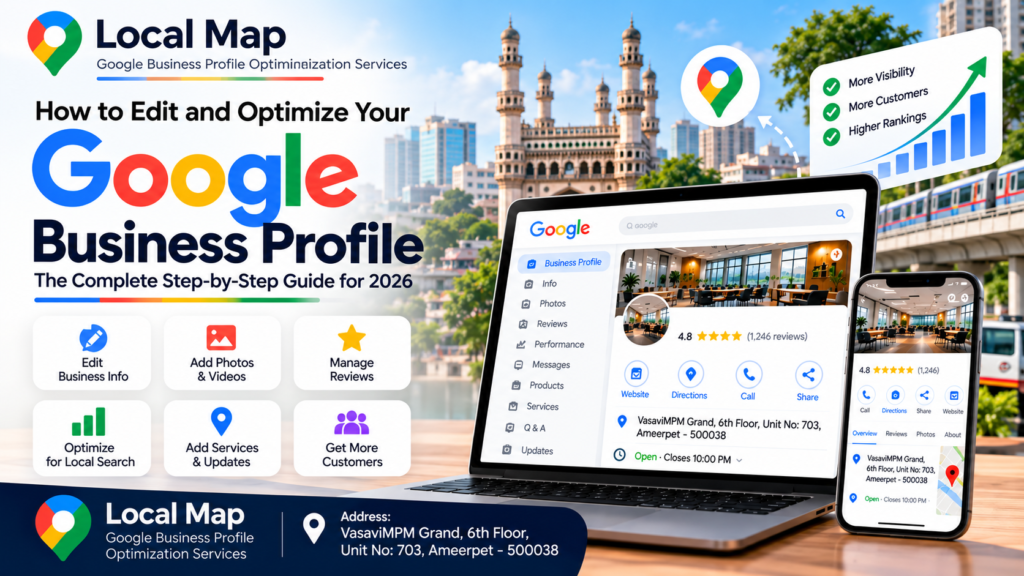
1. Introduction: How to Edit and Optimize Your Google Business Profile
2. What Is Google Business Profile Optimization?
Why Is Google Business Profile Optimization Important ?
3. How to Edit and Optimize Your Google Business Profile Step by Step
Sign In to Your Google Business Profile
Update Your Business Name, Address and Contact Details
Choose the Correct Primary Business Category
Add Your Products and Services
Write a Professional Business Description
Upload Genuine Business Photos and Videos
Collect and Respond to Customer Reviews
Update Business Hours and Special Hours
Add Your Official Website and Relevant Links
Check Your Changes and Monitor Performance
4. Best Local SEO Practices for Google Business Profile
Maintain Accurate Business Information
Understand Relevance, Distance and Prominence
Create Useful Local SEO Website Content
Maintain a Regular Optimization Schedule
5. Common Google Business Profile Mistakes to Avoid
Adding Unnecessary Keywords to the Business Name
Selecting Irrelevant Categories
Using Fake Reviews or Misleading Photos
Ignoring Customer Questions and Feedback
Expecting Guaranteed Rankings
How Do I Edit and Optimize My Google Business Profile?
Is Google Business Profile Free?
How Often Should I Optimize My Profile?
Can Google Business Profile Optimization Improve Local Rankings?
How Many Times Should I Repeat My Focus Keyword?
Can Local Map Help with Profile Optimization?
7. Conclusion: How to Edit and Optimize Your Google Business Profile for Long-Term Growth
If you want your business to attract more customers through Google Search and Google Maps, learning how to edit and optimize your Google Business Profile is an essential step in building your local online presence. A complete and accurate profile helps customers discover your business, understand your services, find your contact details, check your business hours and decide whether to contact you.
Google Business Profile is a free tool that allows eligible businesses to manage how their business information appears on Google Search and Google Maps. You can manage important details, including your business name, phone number, address, website, working hours, categories, photos and services.
Many business owners create a profile but do not maintain it regularly. An outdated phone number, incorrect opening hours, missing services or an inaccurate address can confuse potential customers. Understanding how to edit and optimize your Google Business Profile helps you identify these problems and maintain a professional online presence.
For example, a service provider in Hyderabad may want customers to discover its business when searching for relevant services in Ameerpet or other areas it genuinely serves. A complete profile can help Google understand the business and help customers find useful information. Nevertheless, local search rankings depend on several factors, including relevance, distance and prominence, so no particular optimization technique guarantees a top position.
At Local Map, the goal of Google Business Profile management is to help businesses present accurate information, explain their services clearly and maintain a trustworthy local presence. By following the instructions in this article, business owners can establish a practical optimization routine and understand which profile improvements are worth prioritizing.
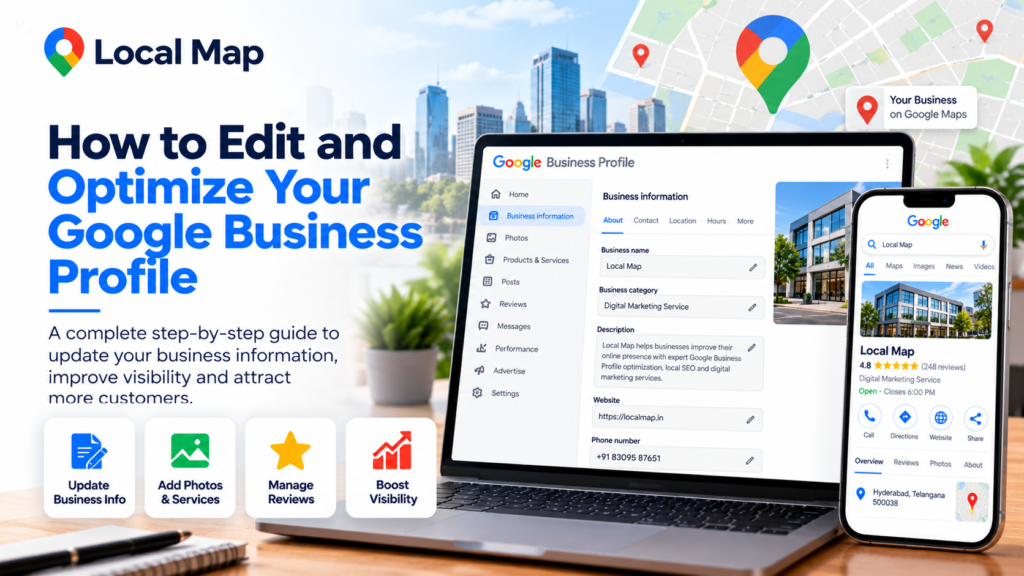
Google Business Profile optimization means maintaining and improving the information customers see when they discover your business through Google Search and Google Maps.
When you understand how to edit and optimize your Google Business Profile, you can make it easier for customers to identify your business, understand your services and contact you. Optimization includes correcting essential details, selecting accurate categories, adding relevant services, uploading genuine photos, managing reviews and ensuring your website information is consistent.
For example, an interior design company should explain the interior design services it genuinely provides. A consultancy should accurately describe its professional services. A retail business should ensure its location and operating hours are correct.
Google explains that local results are primarily influenced by relevance, distance and prominence. Complete business information helps Google understand the business, but the final ranking depends on multiple signals and the searcher’s location.
Therefore, learning how to edit and optimize your Google Business Profile is not about repeating keywords in every field. It is about giving customers and Google clear, reliable information about the business.

Google Business Profile optimization means maintaining and improving the information customers see when they discover your business through Google Search and Google Maps.
When you understand how to edit and optimize your Google Business Profile, you can make it easier for customers to identify your business, understand your services and contact you. Optimization includes correcting essential details, selecting accurate categories, adding relevant services, uploading genuine photos, managing reviews and ensuring your website information is consistent.
For example, an interior design company should explain the interior design services it genuinely provides. A consultancy should accurately describe its professional services. A retail business should ensure its location and operating hours are correct.
Google explains that local results are primarily influenced by relevance, distance and prominence. Complete business information helps Google understand the business, but the final ranking depends on multiple signals and the searcher’s location.
Therefore, learning how to edit and optimize your Google Business Profile is not about repeating keywords in every field. It is about giving customers and Google clear, reliable information about the business.
A well-maintained profile can help potential customers find essential information without searching through several websites. Customers may use the profile to check business hours, view photos, read reviews, visit the website or request directions.
Understanding how to edit and optimize your Google Business Profile is particularly useful for businesses that depend on local customers, including shops, consultants, restaurants and eligible service-area businesses.
The main benefits include:
Improved information accuracy: Customers can find correct contact details and business hours.
Better customer experience: Clear services and genuine photos help customers understand what you offer.
Stronger local SEO foundations: Complete information helps Google understand the business.
Customer trust: Professional responses and genuine reviews demonstrate customer engagement.
Website visits and enquiries: Useful profile information can encourage interested customers to contact the business.
Remember that these benefits are potential outcomes, not guaranteed results. Google Business Profile optimization should be part of a wider strategy that includes a useful website, customer service and accurate business information.
The first step in learning how to edit and optimize your Google Business Profile is to sign in using the Google account that manages the business.
Follow these instructions:
Open Google Chrome or another browser.
Visit https://business.google.com/.
Sign in with the correct Google account.
Alternatively, search for your verified business name on Google Search.
Open the business management options displayed for your account.
Select the relevant editing option to access your profile information.
You can also manage eligible profiles through Google Maps using the account that manages the business.
If you cannot access the profile, check whether you are signed in to the correct account. If another person owns the profile, request the appropriate access instead of creating a duplicate listing.
Learning how to edit and optimize your Google Business Profile begins with securing the correct account and ensuring that the authorized business owner or manager controls the information.
Accurate contact information is one of the most important parts of Google Business Profile management.
When you edit your profile, check the following fields carefully.
Business name: Enter the genuine name used by the business in the real world. Do not add extra location keywords, service phrases or promotional terms unless they are genuinely part of the business name.
Business address: Enter the correct physical location if customers visit your business there. Make sure the address reflects the actual eligible business location.
Phone number: Use a working number that customers can call to enquire about your products or services.
Website URL: Add your official business website and test that the link works.
Business hours: Enter the correct opening and closing times for every applicable day.
For businesses that visit customers instead of receiving them at their premises, configure the service-area settings according to Google’s guidelines.
When learning how to edit and optimize your Google Business Profile, remember that inaccurate information can create confusion. Never add a location where your business does not genuinely operate simply to attract local searches.
Your primary category should describe the main activity of your business as accurately as possible.
For example, an interior design company should choose the most relevant interior-design category available. A business providing digital marketing or profile management services should select the closest appropriate category supported by its actual activities.
You may add relevant additional categories when they accurately represent other important services.
Avoid choosing unrelated categories to attract traffic from searches that do not match your business. More categories do not automatically mean better performance.
As part of learning how to edit and optimize your Google Business Profile, review your category selection whenever your main business activity changes. Choose categories that help customers understand what the company actually does.
The services section helps potential customers understand what your business offers. Available options depend on your business category and profile features.
For a company providing Google Business Profile management, appropriate services might include:
Business profile setup assistance
Business information updates
Google Maps profile optimization
Category and service management
Local SEO consultation
Profile performance review
Customer review management
Only list services that you genuinely provide.
Write a short, useful description for each service where the feature is available. Explain the service, its purpose and the kind of assistance customers can expect.
For example, a description for profile optimization might explain that the service includes reviewing business information, categories, services, photos and contact details for accuracy.
Learning how to edit and optimize your Google Business Profile includes making your service information clear rather than publishing a long list of unrelated keywords.
Your business description should tell customers who you are, what you do and how your services help them.
A useful description should be straightforward, factual and easy to understand. Avoid unsupported claims, excessive promotional wording and repeated keywords.
For example, a business providing local SEO services could explain its profile management process, service areas, website optimization assistance and customer support.
Google’s business description field has a 750-character limit. Use the available space to communicate meaningful information about the business.
When learning how to edit and optimize your Google Business Profile, do not assume that repeating your focus keyword in the description will automatically improve rankings. Prioritize accurate information that helps customers make an informed decision.
Visual content helps customers understand your business before contacting you.
Depending on your business, consider adding:
A clear logo
An appropriate cover photo
Genuine exterior photographs
Interior or workspace images
Team photographs with permission
Products or completed projects
Relevant images of the services you provide
Use good lighting and clear images that represent the real business. Do not use misleading photographs or unrelated stock images to suggest that you offer facilities or services that you do not have.
For your website article, you can also use a relevant featured image with the filename how-to-edit-and-optimize-your-google-business-profile.webp.
Add descriptive alternative text to website images where appropriate. Remember that website image SEO and Google Business Profile photo management are related but different activities.
As you learn how to edit and optimize your Google Business Profile, focus on authentic images that help customers recognize your business and understand what you offer.
Reviews can help prospective customers evaluate a business and understand other customers’ experiences.
Create a simple process for requesting honest feedback from customers after a genuine transaction or service experience. You can use Google’s available review link to make the process convenient.
Respond to reviews professionally. Thank customers for positive feedback, acknowledge concerns when customers report problems and explain how they can contact you to resolve an issue.
Never purchase fake reviews, create reviews for your own business using misleading identities or offer incentives in exchange for positive reviews.
Learning how to edit and optimize your Google Business Profile should include reputation management because customer feedback contributes to the information people use when choosing a business.
Correct opening hours help customers decide when to visit or contact your business.
Check the hours for every day that applies to your business. If your schedule changes during holidays or special events, update the special hours feature when available.
For businesses with separate hours for different services, use the appropriate available settings.
Review your hours whenever your business schedule changes. Do not leave outdated hours in place simply because the profile was correct when it was first created.
Accurate business hours improve customer convenience and form an important part of how to edit and optimize your Google Business Profile.
Your Google Business Profile should connect customers to the correct website whenever you have one.
Check that the website opens correctly on mobile devices and desktop computers. The website should clearly explain your services, contact information and the areas where you genuinely operate.
Where Google provides relevant link fields, add appropriate official destinations. Make sure every link works and leads to the correct business.
Your website and profile should communicate consistent information. If your profile lists one phone number and your website lists another, customers may become confused.
When learning how to edit and optimize your Google Business Profile, treat your website as an important part of the customer journey rather than simply adding a URL and forgetting about it.
After updating your profile, check that your changes have been saved and appear correctly.
Some edits may require review before appearing publicly. If a change is pending or rejected, review the information and follow Google’s instructions rather than repeatedly submitting inaccurate details.
Monitor the performance information available in your profile. Depending on the available reporting features, you may be able to review customer interactions such as calls, website clicks, direction requests or searches.
Compare performance over time instead of judging your results after a single day. Record meaningful changes to your profile so you can understand which improvements coincide with changes in customer engagement.
This final step completes the basic process of how to edit and optimize your Google Business Profile and establishes a routine for ongoing maintenance.
Keep your business name, address, phone number, website and working hours accurate wherever your business appears online.
Consistent information helps customers identify your business and contact the correct company. Review important details whenever the business relocates, changes its phone number or updates its services.
Google explains that local search results depend primarily on relevance, distance and prominence.
Relevance describes how well the profile matches a customer’s search. Distance refers to how far the business is from the searcher or the location specified in the search. Prominence relates to how well-known the business is, including information such as reviews and links from other websites.
You can improve the accuracy and completeness of your profile, but you cannot control every ranking factor. Google does not guarantee a particular position in local results.
Your website should provide detailed, original information about your actual services and locations.
For example, if your company genuinely serves Hyderabad, you can create a useful page explaining the services available to customers in Hyderabad. If you serve Ameerpet, explain the relevant local service information accurately.
Avoid publishing dozens of near-identical pages that only replace one city name with another. Each location page should provide genuine value and reflect the services you actually offer.
Set aside time each week or month to review your business details, respond to customer reviews, add genuine new photos and check for important updates.
A consistent maintenance routine is more practical than making random changes whenever you remember your profile.
Your business name must accurately represent the real-world business. Adding extra city names or service keywords for ranking purposes can violate Google’s guidelines.
Choose categories based on your actual business activities. Do not select unrelated categories simply because they seem popular.
Fake reviews and misleading images can undermine trust and violate platform policies. Use genuine customer feedback and authentic business photographs.
Respond politely to customer concerns and provide accurate information. Never publish private customer details in a public response.
Even a complete profile cannot guarantee the top position in Google Maps. Search results vary according to location, competition and other factors.
Sign in to the Google account managing your business, find the profile through Google Search or Google Maps, open the editing options and update your business information. Review categories, services, photos, reviews and working hours regularly.
Yes. Google Business Profile is free for eligible businesses. However, an independent agency may charge for profile setup, ongoing management or local SEO services.
Review your information regularly and whenever your business details change. Check contact information, business hours, services, photos and customer feedback as part of an ongoing maintenance routine.
Accurate and complete information can help Google understand your business and match it with relevant searches. Rankings also depend on distance, prominence and other factors, so improved positions are not guaranteed.
Google does not specify a required keyword repetition count. Use your focus keyword naturally in important locations, and cover related topics in enough detail to answer the reader’s questions.
Local Map can explain its available Google Business Profile management and local SEO services to interested businesses. Describe your actual services, deliverables, pricing and process clearly so customers understand what they are purchasing.
Learning how to edit and optimize your Google Business Profile gives you a practical foundation for maintaining accurate business information and improving the customer experience on Google Search and Google Maps.
Start by accessing the correct account and reviewing your business name, contact details, address and working hours. Select appropriate categories, add relevant services, write a clear description and upload genuine photographs. Then create a routine for responding to reviews, checking profile changes and monitoring available performance information.
For businesses in Hyderabad, Ameerpet and other Indian markets, accurate local information is especially important when customers want to confirm where a business operates and which services it provides. Your website, profile and other business information should communicate a consistent and trustworthy identity.
At Local Map, Google Business Profile services can help businesses organize profile information, present services clearly and maintain their local online presence. Before choosing a service provider, understand the work included, the expected timeline and the reporting process.
Remember that optimization is an ongoing activity. Avoid fake reviews, misleading locations, irrelevant categories and unnecessary keyword repetition. Instead, focus on accurate information, genuine customer engagement and helpful website content.
By applying these steps consistently, you can build a stronger foundation for local search discoverability and customer trust. The best approach is not to make the most changes or repeat the most keywords. It is to provide the right information, follow Google’s guidelines and make it easy for potential customers to understand and contact your business.
Visit https://localmap.in/ to learn more about Local Map’s services and discuss your business requirements.
Make your business information easier to understand, help customers find the details they need, and build a more professional presence on Google Search and Google Maps.
Business Contact Details
Business: Local Map
Mobile: 8309587651
Website: localmap.in
Email: team.localmap@gmail.com
Connect with Local Map on social media
Get in Touch Today
Improve the accuracy of your business listing, strengthen your local SEO strategy, and make it easier for customers to discover your services online. Contact Local Map to discuss your Google Business Profile requirements in Hyderabad.